

Generate links from Fuzebox
How to generate Pay by Link payment links from Fuzebox
Getting started
Volt's Pay by Link can be accessed from Fuzebox, in either Sandbox or Production environments.
Prerequisites
Creating a payment link from Fuzebox requires an active application with fully configured and tested notifications in the same environment as the payment.
The logged-in user must also have permission to create Pay by Link payments. Please contact your system administrator or Volt Support if you don't have this permission.
Steps to generate a payment link
Once you've logged in to Fuzebox, head to the payments list. In the upper right corner, you will see a 'Generate Pay by Link' button.

Click on the Generate Pay by Link button. You'll be prompted for the information required to configure a payment.
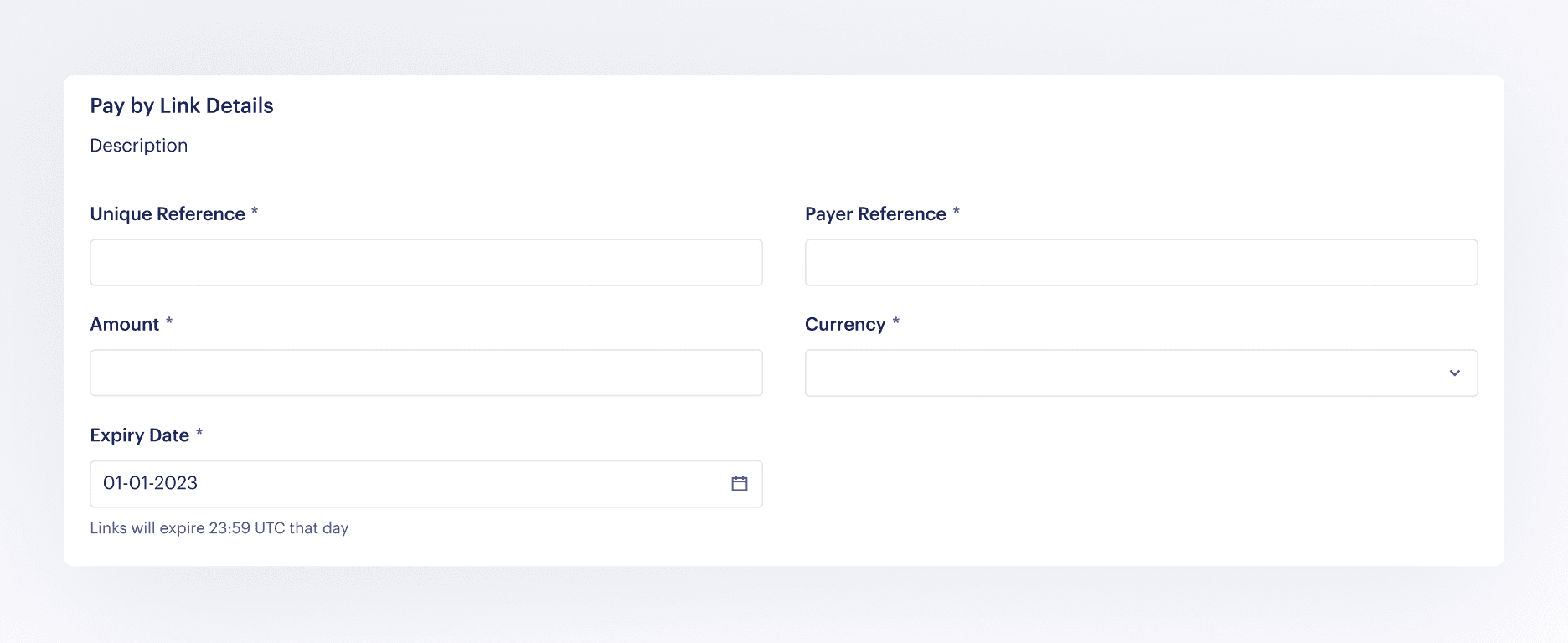
Fill in the following fields:
| Field | Description |
|---|---|
| Customer | Select the merchant record which relates to this payment |
| Unique Reference | The transaction ID you will use to identify the payment. Create a reference of up to 18 characters using letters and numbers only |
| Amount | The payment amount |
| Currency | The payment currency |
| Expiry Date | The link expiry date can be adjusted to your requirements. The link will no longer be valid after the expiration date. The maximum expiry date is 30 days. |
| Payer Reference | Provide a payer reference such as Name and Surname to easily identify your shoppers |
| First name | (AUD only) The payer's first name |
| Last name | (AUD only) The payer's last name |
| Payment description | (AUD only) A description of the payment that will be presented in the payer's banking app. ASCII-printable characters only |
An application is required so that we can send the shopper to the correctly configured and branded checkout page, and so that we return them to the correct page on your website based on the configured redirect URLs once the payment is complete.
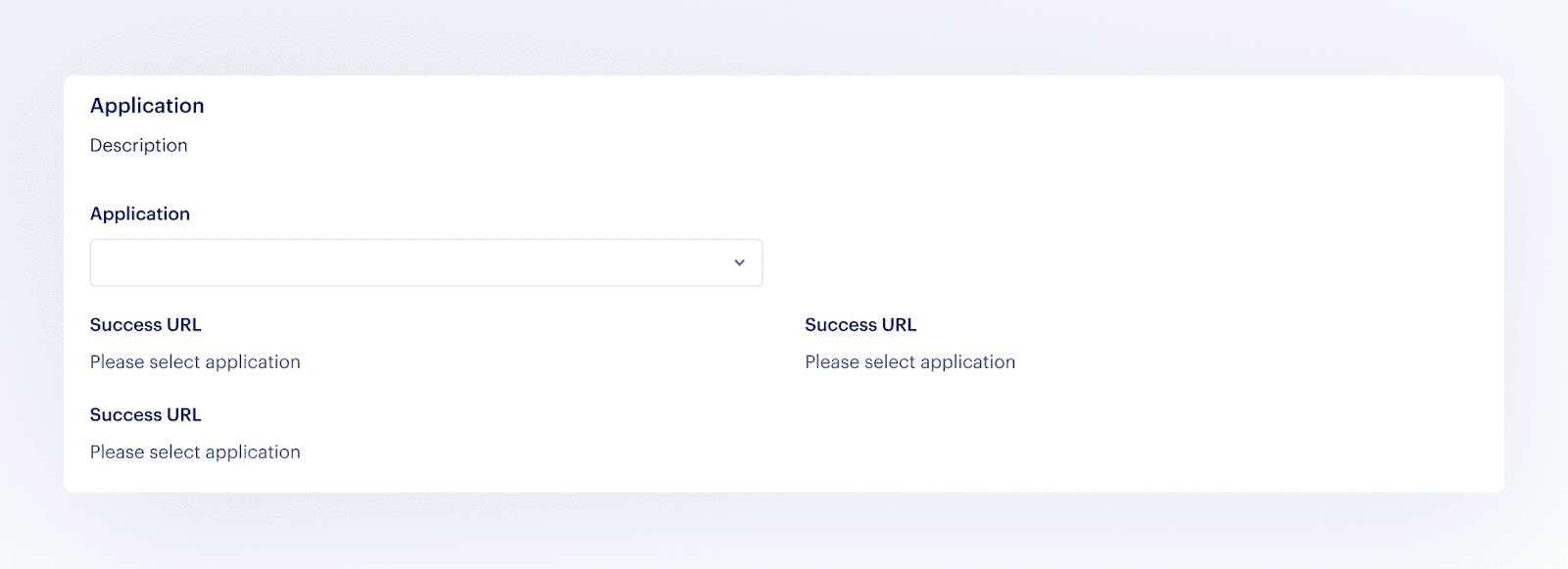
- You can configure the return redirect URLs in the Fuzebox. Return redirect URLs
- We also use the configured application so that we know where to send notifications about the payment.
Once you have successfully created a payment, you will be able to share the payment link with your shopper. Click a quick copy button to copy the link.
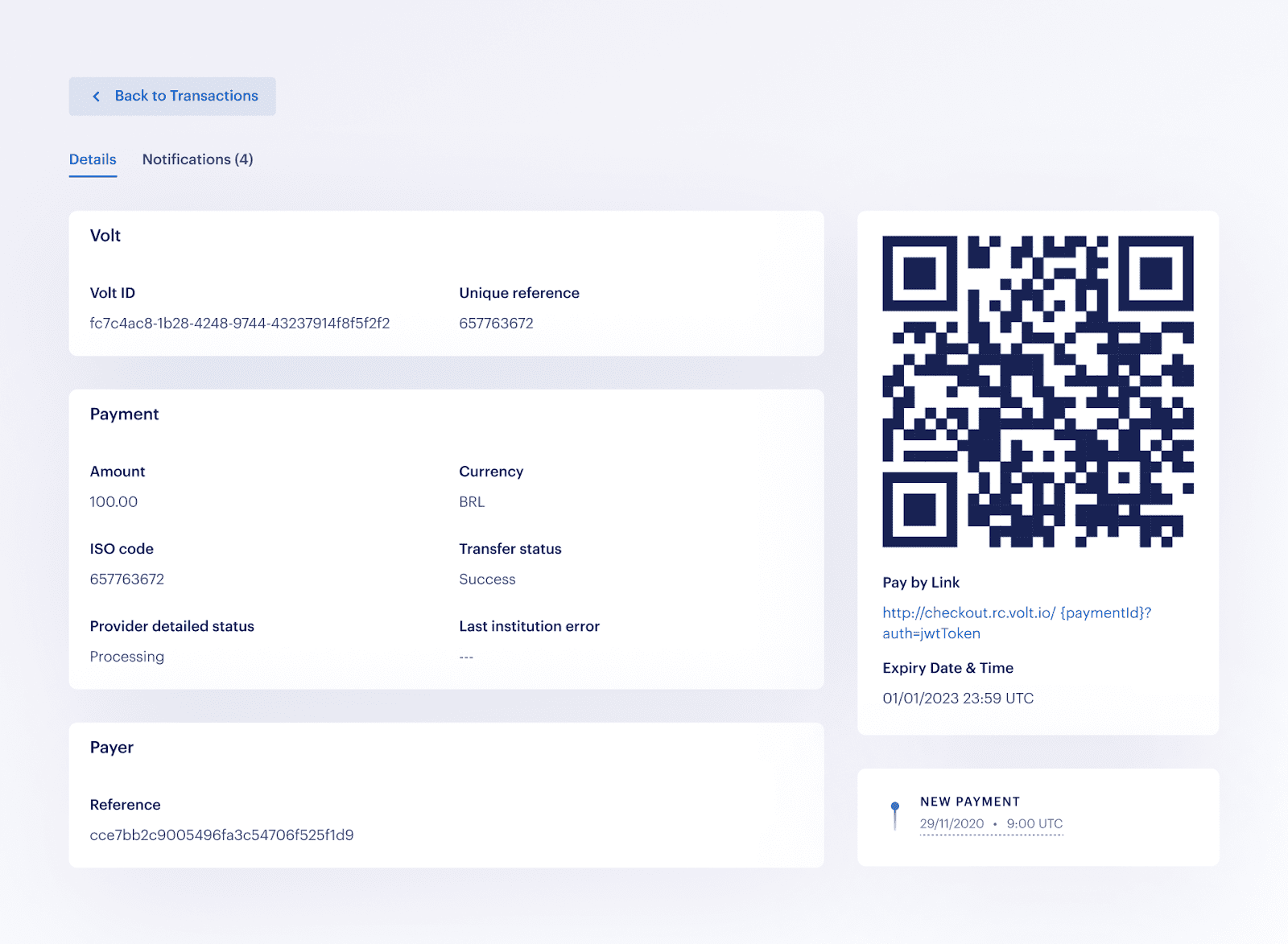
You can download the QR code by clicking on it.
How is this guide?
Last updated on